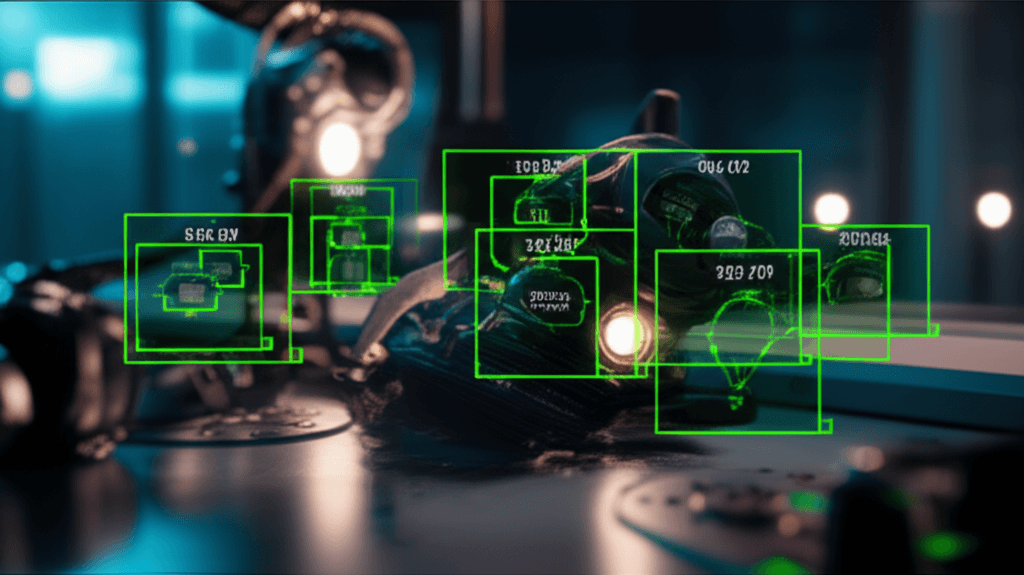
Training a YOLOv8 Model for Custom Object Detection
Prerequisites
- ✓Python 3.10+
- ✓Basic understanding of neural networks
- ✓GPU with CUDA support (recommended)
- ✓Familiarity with command line
Object detection is one of the most important capabilities for any robot that interacts with the physical world. In this tutorial, you'll train a custom YOLOv8 model to detect objects specific to your application and deploy it for real-time inference.
What You'll Build
- A custom-trained YOLOv8 object detection model
- A data pipeline for collecting, labeling, and augmenting training data
- A real-time inference script running at 60+ FPS
- An ONNX export for deployment on edge devices
Prerequisites
- Python 3.10+ with pip
- NVIDIA GPU with CUDA (optional but recommended — CPU training is very slow)
- Basic understanding of neural networks and PyTorch
Step 1: Install Dependencies
# Create virtual environment
python -m venv yolo_env
source yolo_env/bin/activate

# Install Ultralytics (includes YOLOv8)
pip install ultralytics

# Verify GPU availability
python -c "import torch; print(f'CUDA: {torch.cuda.is_available()}, Device: {torch.cuda.get_device_name(0) if torch.cuda.is_available() else \"CPU\"}')"
Step 2: Understand YOLO Architecture
YOLOv8 (You Only Look Once, version 8) processes the entire image in a single forward pass:
- Backbone — CSPDarknet extracts features at multiple scales
- Neck — FPN + PAN fuses features across scales
- Head — Decoupled detection head predicts boxes + classes
Key model sizes:
| Model | Parameters | mAP (COCO) | Speed (T4 GPU) |
|---|---|---|---|
| YOLOv8n | 3.2M | 37.3 | 1.2ms |
| YOLOv8s | 11.2M | 44.9 | 2.1ms |
| YOLOv8m | 25.9M | 50.2 | 4.7ms |
| YOLOv8l | 43.7M | 52.9 | 7.8ms |
| YOLOv8x | 68.2M | 53.9 | 12.3ms |
For robotics, YOLOv8n or YOLOv8s are ideal — they're fast enough for real-time use while maintaining good accuracy.
Step 3: Prepare Your Dataset
Option A: Collect Your Own Data
import cv2
import os
from datetime import datetime

def collect_images(output_dir, num_images=200):
    """Capture images from webcam for training data."""
    os.makedirs(output_dir, exist_ok=True)
    cap = cv2.VideoCapture(0)

    count = 0
    print("Press SPACE to capture, Q to quit")

    while count < num_images:
        ret, frame = cap.read()
        if not ret:
            break

        # Display with counter
        display = frame.copy()
        cv2.putText(
            display, f"Captured: {count}/{num_images}",
            (10, 30), cv2.FONT_HERSHEY_SIMPLEX, 1, (0, 255, 0), 2
        )
        cv2.imshow("Capture", display)

        key = cv2.waitKey(1) & 0xFF
        if key == ord(" "):
            filename = f"img_{count:04d}.jpg"
            cv2.imwrite(os.path.join(output_dir, filename), frame)
            count += 1
            print(f"Saved {filename}")
        elif key == ord("q"):
            break

    cap.release()
    cv2.destroyAllWindows()
    print(f"Captured {count} images to {output_dir}")

# Capture training images
collect_images("dataset/images/train", num_images=150)
collect_images("dataset/images/val", num_images=50)
Option B: Use Roboflow
Roboflow provides labeled datasets and labeling tools:
from roboflow import Roboflow

rf = Roboflow(api_key="YOUR_API_KEY")
project = rf.workspace("your-workspace").project("your-project")
dataset = project.version(1).download("yolov8")
Label Your Data
Use Label Studio or CVAT for annotation. YOLO format labels are simple text files:
# Each line: class_id center_x center_y width height (normalized 0-1)
0 0.45 0.32 0.12 0.18
1 0.72 0.68 0.08 0.15
Dataset Structure
dataset/
├── data.yaml              # Dataset configuration
├── images/
│   ├── train/             # Training images
│   └── val/               # Validation images
└── labels/
    ├── train/             # Training labels (same names as images, .txt)
    └── val/               # Validation labels
Create data.yaml:
# data.yaml
path: ./dataset
train: images/train
val: images/val

names:
  0: robot_arm
  1: sensor
  2: circuit_board
  3: cable
Step 4: Train the Model
from ultralytics import YOLO

# Load a pretrained model (transfer learning)
model = YOLO("yolov8s.pt")

# Train on your custom dataset
results = model.train(
    data="dataset/data.yaml",
    epochs=100,
    imgsz=640,
    batch=16,
    device=0,            # GPU 0 (use "cpu" for CPU training)
    patience=20,         # Early stopping
    save=True,
    project="runs/detect",
    name="robot_parts",

    # Data augmentation
    hsv_h=0.015,         # Hue augmentation
    hsv_s=0.7,           # Saturation augmentation
    hsv_v=0.4,           # Value augmentation
    degrees=10.0,        # Rotation
    translate=0.1,       # Translation
    scale=0.5,           # Scale
    fliplr=0.5,          # Horizontal flip probability
    mosaic=1.0,          # Mosaic augmentation
    mixup=0.1,           # MixUp augmentation
)
Monitor Training
YOLOv8 automatically logs metrics. Key metrics to watch:
- mAP50 — mean Average Precision at IoU 0.5
- mAP50-95 — mAP averaged across IoU thresholds (the primary metric)
- box_loss — bounding box regression loss
- cls_loss — classification loss
- Precision/Recall — per-class detection performance
# View training results
from ultralytics import YOLO

model = YOLO("runs/detect/robot_parts/weights/best.pt")

# Validate on test set
metrics = model.val(data="dataset/data.yaml")
print(f"mAP50: {metrics.box.map50:.3f}")
print(f"mAP50-95: {metrics.box.map:.3f}")
Step 5: Run Inference
from ultralytics import YOLO
import cv2

# Load your trained model
model = YOLO("runs/detect/robot_parts/weights/best.pt")

# Inference on image
results = model("test_image.jpg", conf=0.5)

# Process results
for result in results:
    boxes = result.boxes
    for box in boxes:
        # Bounding box coordinates
        x1, y1, x2, y2 = box.xyxy[0].tolist()
        confidence = box.conf[0].item()
        class_id = int(box.cls[0].item())
        class_name = model.names[class_id]

        print(f"{class_name}: {confidence:.2f} at [{x1:.0f}, {y1:.0f}, {x2:.0f}, {y2:.0f}]")

# Save annotated image
result.save("result.jpg")
Real-Time Video Inference
def realtime_detection(model_path, conf_threshold=0.5):
    """Run real-time object detection on webcam feed."""
    model = YOLO(model_path)
    cap = cv2.VideoCapture(0)

    # FPS calculation
    frame_count = 0
    fps = 0
    start_time = cv2.getTickCount()

    while cap.isOpened():
        ret, frame = cap.read()
        if not ret:
            break

        # Run inference
        results = model(frame, conf=conf_threshold, verbose=False)

        # Draw results
        annotated = results[0].plot()

        # Calculate FPS
        frame_count += 1
        elapsed = (cv2.getTickCount() - start_time) / cv2.getTickFrequency()
        if elapsed > 1.0:
            fps = frame_count / elapsed
            frame_count = 0
            start_time = cv2.getTickCount()

        cv2.putText(
            annotated, f"FPS: {fps:.1f}",
            (10, 30), cv2.FONT_HERSHEY_SIMPLEX, 1, (0, 255, 0), 2
        )

        cv2.imshow("YOLOv8 Detection", annotated)
        if cv2.waitKey(1) & 0xFF == ord("q"):
            break

    cap.release()
    cv2.destroyAllWindows()


realtime_detection("runs/detect/robot_parts/weights/best.pt")
Step 6: Export for Edge Deployment
# Export to ONNX for edge deployment
model = YOLO("runs/detect/robot_parts/weights/best.pt")

# ONNX export (works on most edge devices)
model.export(format="onnx", imgsz=640, simplify=True)

# TensorRT export (NVIDIA GPUs - fastest)
model.export(format="engine", imgsz=640, half=True)

# OpenVINO export (Intel hardware)
model.export(format="openvino", imgsz=640)

# CoreML export (Apple devices)
model.export(format="coreml", imgsz=640)
ONNX Runtime Inference
import onnxruntime as ort
import numpy as np
import cv2

class YOLODetector:
    """Lightweight YOLO detector using ONNX Runtime."""

    def __init__(self, model_path, conf_threshold=0.5):
        self.session = ort.InferenceSession(model_path)
        self.conf_threshold = conf_threshold
        self.input_name = self.session.get_inputs()[0].name
        self.input_shape = self.session.get_inputs()[0].shape[2:]

    def preprocess(self, image):
        """Resize and normalize image for inference."""
        resized = cv2.resize(image, self.input_shape[::-1])
        blob = resized.astype(np.float32) / 255.0
        blob = blob.transpose(2, 0, 1)  # HWC -> CHW
        blob = np.expand_dims(blob, 0)  # Add batch dimension
        return blob

    def detect(self, image):
        """Run detection on a single image."""
        blob = self.preprocess(image)
        outputs = self.session.run(None, {self.input_name: blob})
        return self.postprocess(outputs, image.shape)

# Usage
detector = YOLODetector("model.onnx")
detections = detector.detect(cv2.imread("test.jpg"))
Tips for Better Results
- More data beats bigger models — 500+ labeled images per class is ideal
- Data diversity — vary lighting, angles, backgrounds, and distances
- Start with a pretrained model — transfer learning saves time
- Use YOLOv8s for robotics — best speed/accuracy balance
- Augmentation matters — mosaic and mixup significantly improve generalization
- Test on edge hardware early — don't wait until the end to check real-time performance
- Monitor for class imbalance — ensure each class has similar sample counts
Next Steps
- Multi-object tracking — combine YOLO with ByteTrack or BoT-SORT
- Instance segmentation — use YOLOv8-seg for pixel-level detection
- Pose estimation — use YOLOv8-pose for keypoint detection
- ROS 2 integration — publish detections as ROS messages
- Active learning — automatically select the most informative images to label
Custom object detection is a gateway to building truly capable robot perception systems. With YOLOv8 and the techniques in this tutorial, you can give any robot the ability to see and understand the objects it needs to interact with.
Related Posts
Computer Vision Breakthroughs of 2026: What's New and What's Next
The biggest computer vision advances of 2026 so far — from 3D scene understanding and video generation to real-time visual reasoning. A comprehensive roundup of the models, papers, and products reshaping how machines see.
Embodied AI Foundation Models: Teaching Robots to Understand the Physical World
How foundation models like RT-2, Octo, and pi-zero are enabling robots to generalize across tasks, environments, and even robot bodies — ushering in the era of general-purpose robotic intelligence.
Understanding Transformer Architecture: The Engine Powering Modern Robotics AI
A comprehensive guide to how transformer neural networks — originally designed for language — are revolutionizing robot perception, planning, and control in 2026.
Building a Computer Vision Pipeline with OpenCV and Python
Learn to build a complete computer vision pipeline from scratch using OpenCV and Python. Covers image processing, feature detection, object tracking, and deploying your pipeline for real-time video analysis.